SOFTWARE
Audio SR Studio
Next-Gen AI Audio Restoration & Super-Resolution
Audio SR Studio is a unified desktop environment designed for researchers, sound designers, and audio engineers to enhance, restore, and upscale audio using state-of-the-art deep learning models.
Rather than relying on isolated command-line scripts or fragmented web tools, Audio SR Studio integrates a powerful suite of neural networks into a single interactive workbench. The app is currently in development and will soon be shared openly on GitHub and Hugging Face.
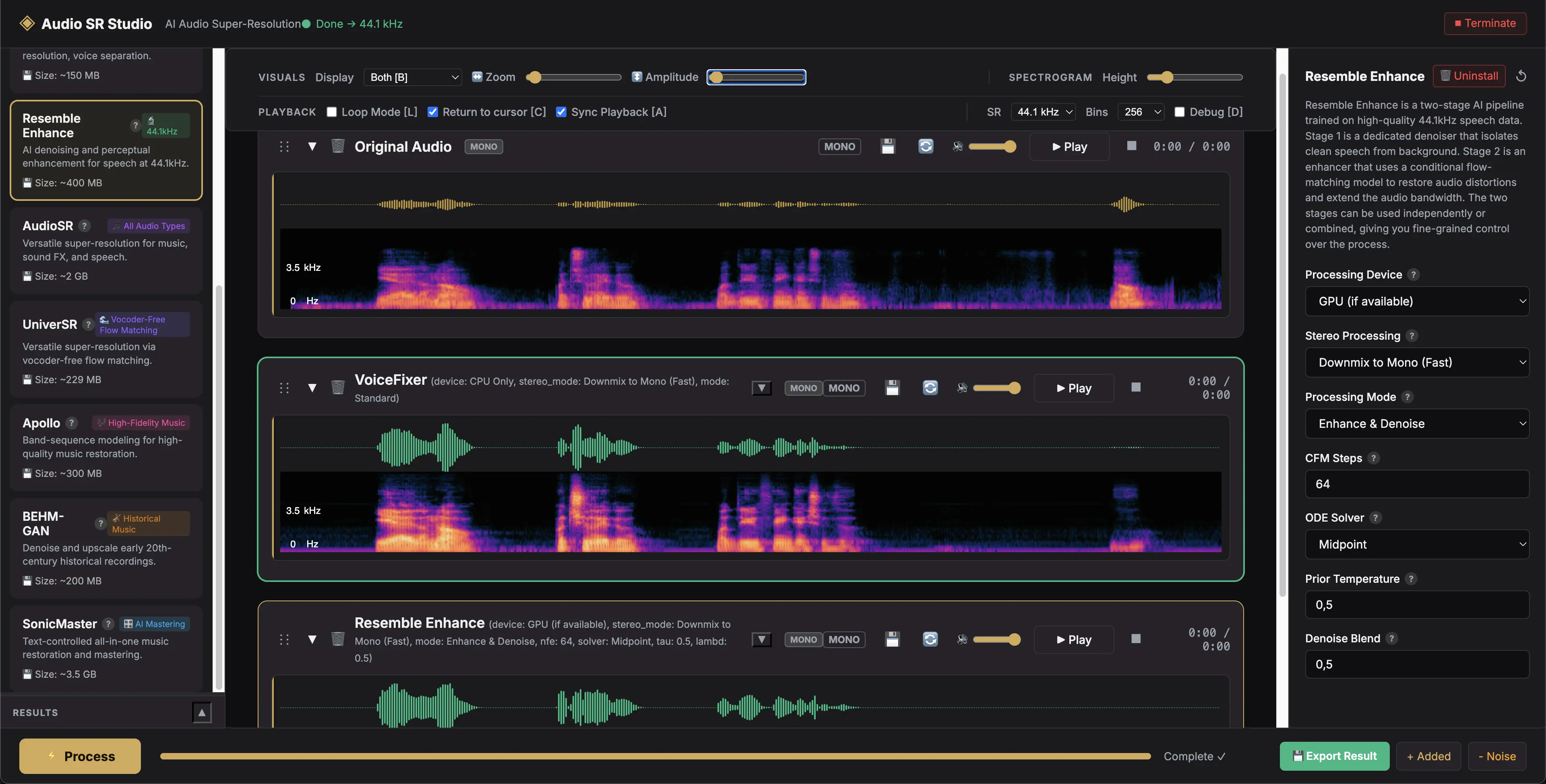
The Core Innovation: Compare & Chain
The true power of Audio SR Studio lies in its workflow efficiency, resolving two major bottlenecks in AI audio processing.
1. Side-by-Side Comparative Analysis (A/B Testing)
Different AI models have distinct signatures: some excel at isolating pristine dialogue, while others generate rich high-frequency harmonics. Audio SR Studio lets you process the same source clip through multiple models and compare them instantly.
- ▹Synchronized Playback: Toggle synchronized playback to switch between tracks seamlessly. When you play a processed track, it starts at the exact millisecond you paused the previous one, allowing for true A/B comparison.
- ▹Isolate What the AI Did: Built-in difference signal computation allows you to isolate and listen only to what the AI added or removed.
Audio Examples
Play the tracks and use the Before/After toggle to instantly A/B compare the results of the processing models.
Vocal Super-Resolution Enhancement
Synchronized A/B Playback
Full Mix Super-Resolution
Synchronized A/B Playback
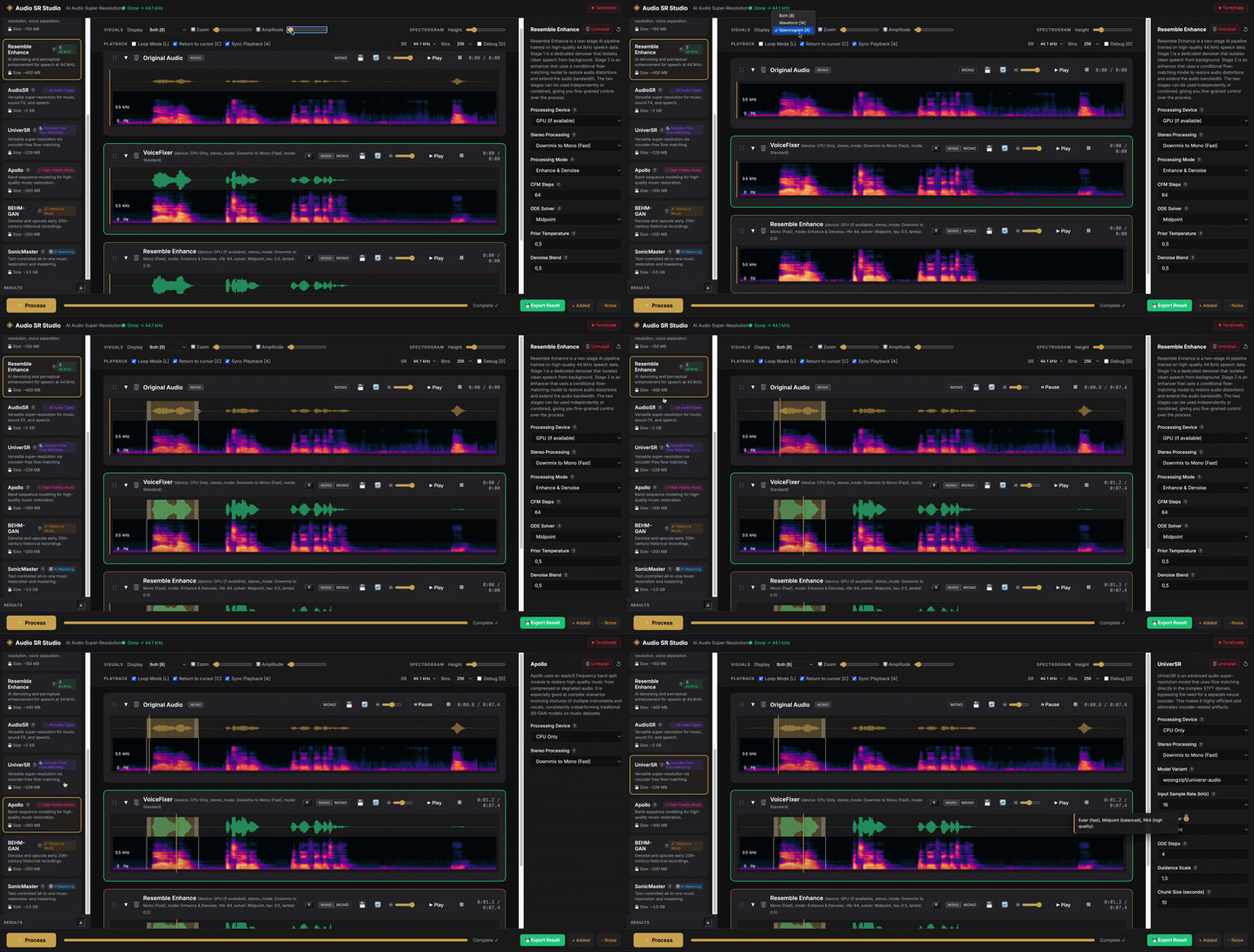
2. Multi-Model Chaining (Iterative Processing)
Complex audio degradation requires multi-stage treatment (e.g., removing heavy background hum before upscaling muffled speech).
- ▹Seamless Cascading: With a single click of the Use as Input (🔄) button, any processed output is immediately loaded back as the source audio.
- ▹Unified Pipeline: Denoise a recording using one model, upscale its sample rate using a second, and apply final mastering polish with a third, all without exporting, renaming, or re-importing files.
Integrated Model Suite
Audio SR Studio aggregates over a dozen leading neural networks, categorized by their target application.
Interactive Workspace Features
Visual Analytics
Interactive Spectrogram & Waveform Visualization: View audio in both time and frequency domains simultaneously. Cleanly isolate loops and narrow down selections with draggable regions.
Precision Tuning
Granular Parameter Control: Every model card features an expandable settings panel allowing you to adjust model-specific parameters like diffusion steps (NFE), solver types, classifier-free guidance scale, and audio chunking.
Project Management
Organized Results History: A collapsible, resizable results pane keeps track of all runs, allowing you to easily rename files, compare outputs, and manage history.
Workflow Speed
Quick Export: Export any processed iteration instantly with the save button right next to the track list.